Loop Fence Puzzle Embed the Loop Fence Puzzle on Your Site
Embed the Loop Fence Puzzle on Your Site
Run a puzzle blog, teach a logic or maths class, or keep a page of brain teasers for your community? You can put a playable loop fence puzzle on your own page with one line of HTML. Your readers solve it right there, on a phone or a computer, without leaving your site.
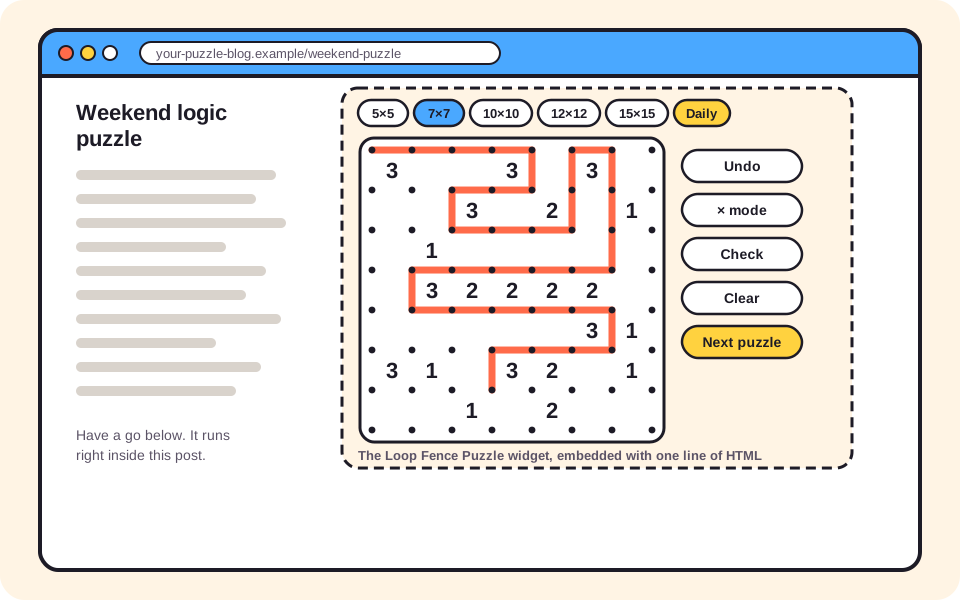
An illustration of the widget inside a blog post. The live widget has the same size buttons, board and tools.
Copy the embed code
Paste this where you want the puzzle to appear. It works in any page that accepts HTML, such as a Custom HTML block in WordPress.
<iframe src="https://loopfencepuzzle.org/embed/loop-fence" width="100%" height="620" style="border:0;max-width:720px" loading="lazy" title="Loop Fence Puzzle"></iframe>
Want to see it working before you paste it? Open the widget on its own.
Options
Add one of these to the end of the address in src to choose how the widget opens:
| Add to the address | What readers see first |
|---|---|
| nothing | The last size they played on this device, or a 5×5 board |
#daily |
Today's daily 10×10 puzzle, the same board for every player |
#5 or #7 |
A small board, good for beginners and children |
#10 |
A medium board |
#12 or #15 |
A large board for experienced solvers |
For example, https://loopfencepuzzle.org/embed/loop-fence#daily opens on the daily puzzle. Height 620 suits most layouts; use 700 or more if your column is wide and you want the 15×15 board to be bigger.
What you get, and what we promise
- Free, no sign-up, no ads. Neither you nor your readers need an account.
- No link back required. Embed it and that is it.
- Every board has exactly one solution. 250 boards from 5×5 to 15×15, each checked by a solver, so readers never have to guess.
- A new daily puzzle at midnight UTC, so a page with the widget has something new every day.
- Built for touch. Large tap targets and an × mode mean it plays well on phones.
- It will not compete with you in search. The widget page is set to noindex, so your page remains the one that shows up in Google.
Good places for the widget
- Puzzle and brain-teaser blogs: with
#daily, a "puzzle of the day" corner that refreshes itself. - Logic and maths classes: students practise deduction without installing anything; the 5×5 and 7×7 sizes suit younger classes.
- School intranets and learning portals: a quiet activity for early finishers.
- Puzzle communities: a shared daily board everyone can talk about.
New to the puzzle yourself? The loop fence puzzle page explains the rules, and the loop fence puzzle solution guide shows a whole board solved step by step, which is handy to link from your post.
Embedding questions
Will the widget slow down my page?
With loading="lazy" in the code, the browser waits until a reader scrolls near the puzzle before loading it, so it does not hold up the rest of your page. The puzzle is a small page with no ads.
Will it compete with my page in Google?
No. The page inside the frame is marked noindex, so search engines do not list it as a separate result. Your article stays the page that ranks.
Do I have to link back or credit you?
No. The embed is free to use and no backlink is required. A small link inside the widget lets curious readers find the embed code for their own site.
Can I start the widget on a particular size or on the daily puzzle?
Yes. Add #daily to the address for the daily puzzle, or #5, #7, #10, #12 or #15 to open on that grid size. Readers can still switch sizes with the buttons.